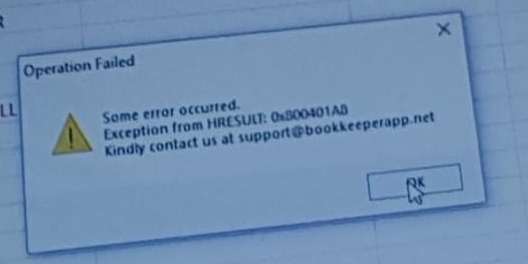
If you are getting this kind of error message, make sure you have installed Microsoft Office properly.
You can also try uninstalling and installing Microsoft Office again.
Make sure:
1. You have installed Microsoft Office 2007 or later
2. Install complete Microsoft Office Package, not just Microsoft Excel
Also try restarting your system once.
If it still doesnt work, Kindly check below links:
https://www.800error.com/error-code-0x800401AB-NoAccessException-code-from-Error-0x800A03EC
https://forums.asp.net/t/1459768.aspx?Library+not+registered+Exception+from+HRESULT+0x8002801D+TYPE_E_LIBNOTREGISTERED+SmtpMail+Send+objNewMail
Was this article helpful?
That’s Great!
Thank you for your feedback
Sorry! We couldn't be helpful
Thank you for your feedback
Feedback sent
We appreciate your effort and will try to fix the article